Appcompanist: Vocal Training
- 4.4
- Rating
- 10.00K
- Installs
- Free
- Price

 Analysis by App-foxy
I use Appcompanist: Vocal Training as a practical music and audio tool rather than as a replacement for a piano teacher. Its main appeal is simple: it gives singers a way to work with piano accompaniment when a pianist is not available. That makes it especially interesting for opera singers, musical-theatre performers, choir members, and anyone who needs to rehearse vocal material alone.
My overall impression is that this is a focused app with a clear job. It is not trying to be a general music player, a recording studio, or a theory course. The experience is built around supporting vocal practice, so its value depends heavily on whether you already have a specific piece, rehearsal goal, or accompaniment need. If you do, it can fit naturally into a daily routine. If you want broad lessons, vocal exercises explained from the ground up, or a large entertainment library, you may find its scope too narrow.
How Appcompanist feels during real vocal practice
I find the app most useful when I treat it as a rehearsal partner with a specific job, not as a complete vocal coach. That distinction helps me choose a realistic first goal and judge whether the piano support is helping me sing more confidently. Next, I’ll look at how to make the opening session feel manageable rather than turning setup into another task.
You May Also Like

 Pandora - Music & Podcasts
Pandora’s Music Is Easy to Start, but Harder to Recover
Pandora’s strength is its low-effort path from a seed to a station. Its weak spot is how much confidence it asks you to place in connection, setup, and quiet recovery.

 8 Ball Pool
 Is Built on Rivalries, Rematches, and Routine
A close look at the rivalries, rematches, shared routines, and unanswered safety questions that turn a quick pool match into a persistent mobile community.

 Samsung Music
’s Quiet Strength Is Playing What You Already Own
Its reach comes less from spectacle than from dependable access to a personal library. That simplicity is both the app’s strongest retention engine and its ceiling.

 AccuWeather: Weather Radar
AccuWeather Review: A Quick, Clear Forecast for Everyday Decisions
For everyday plans, the best forecast is the one you can understand quickly. AccuWeather makes rain timing, radar, and local conditions easy to act on, with a few trade-offs.

 Hill Climb Racing
Why Hill Climb Racing Still Turns Crashes Into One More Run
A tiny car, a bumpy hill and one more upgrade: Hill Climb Racing keeps resurfacing because its simple chaos makes every near-miss feel personal.

 AliExpress - Shopping App
AliExpress Makes Global Shopping Feel Personal, but Shoppers Bear the Risk
AliExpress turns a global marketplace into a pocket-sized discovery engine. Its reach is useful, its shopping loop compelling, and its trade-offs easy to miss.
More From Our News Desk
View All News


Speed expectations: quick enough when the session is prepared
In my experience, the biggest speed advantage comes from having a plan before opening the app. A singer who knows the song, the starting point, and the section to practise can move into useful work quickly. The app makes more sense as a rehearsal companion than as something to browse casually for inspiration. That distinction matters because vocal practice often happens in short windows: before class, between commitments, or during a warm-up at home.
I would not judge its speed only by how quickly a screen appears. For this kind of tool, the more important question is how quickly I can get from choosing material to actually singing. A piano accompaniment app can save a great deal of time compared with searching for a suitable recording, adjusting an external player, or waiting for another musician to be available. The benefit is strongest when I need to repeat a passage instead of listening through an entire track.
There is also a useful mental shift here. With a normal backing track, I tend to adapt myself to the recording. With an accompaniment-focused app, I approach the session more like a rehearsal: I decide what needs attention, then use the piano part to support that goal. That makes the app feel responsive even when the task itself requires concentration.
For a singer preparing a lesson, audition, choir rehearsal, or performance, I would recommend opening the app a few minutes early and checking the intended material before starting vocal work. This is not because the app feels inherently slow; it is because preparation prevents technical decisions from interrupting breathing, diction, and musical phrasing once the session begins.
Heavy-use moments: where the workflow matters most
The demanding moments are not necessarily about playing one song. They appear when I use the app repeatedly: stopping, restarting, isolating a difficult passage, changing my approach, and running the same section again. That is how singers actually practise. A tool can seem excellent during a casual trial and become frustrating if repeated work requires too many interruptions.
My strongest use case is a focused twenty-minute session. I might begin with a complete run to reconnect with the music, then return to two or three difficult entrances. After that, I would sing the same material again with attention to breath timing or pronunciation. The app is most valuable in this situation because the accompaniment gives structure without demanding another person’s schedule.
A second realistic scenario is choir preparation. I can imagine using it at home to become more secure with my line before rehearsal, especially when the group will move quickly through several sections. It does not replace listening to the ensemble or learning how the parts fit together, but it can reduce the uncertainty of arriving without having sung the notes recently.
For musical theatre, the practical advantage is different. A performer may need to work on character choices, text clarity, and stamina while keeping the musical framework present. An accompaniment app can leave more attention for those details than singing along with a finished commercial recording, where the original performer’s interpretation may pull me toward imitation.
Opera practice can expose a trade-off. A piano accompaniment is useful for notes, rhythm, and entrances, but it does not recreate the full orchestral atmosphere. I would use the app for musical accuracy and repetition, then supplement it with other listening when I need to study orchestral color, dramatic pacing, or the relationship between voice and ensemble.
One non-obvious tip is to divide practice by purpose rather than treating every run-through as a performance. Use one pass for entrances, another for text, and another for endurance. This keeps the accompaniment from becoming background noise. It also helps reveal whether a problem is musical, vocal, or simply caused by losing concentration during a long piece.
Reliability: useful when it supports a repeatable routine
Reliability matters more here than flashy presentation. A singer needs confidence that the accompaniment will be available when practice time appears, because a missed rehearsal window can be difficult to recover. I found the app’s focused design reassuring: it is aimed at one particular musical task instead of trying to become an entire digital studio.
That said, no accompaniment tool should be the only part of an important performance plan. Before an audition, lesson, or rehearsal, I would still check the exact material in advance rather than discovering a workflow issue at the last minute. This is sensible preparation for any specialist app, especially when the session depends on precise musical timing.
The app has an average rating of 4.4 from roughly 160 ratings, with about 40 written reviews. I read that as a positive signal from a relatively small audience, not as proof that every singer will have the same experience. The audience is specialized, and the usefulness of the app depends on repertoire, practice habits, and expectations.
Appcompanist, LLC is the developer behind the app. Its release history places it in the music and audio space rather than the social or entertainment side of mobile software, which matches the practical feel of the product. The current version is 2.1.47, so users should keep their installation current when possible, particularly if they rely on it regularly for lessons or rehearsals.
My recovery advice is straightforward: keep your musical plan written down, remember the section you were working on, and avoid making the app responsible for your entire preparation process. If a session is interrupted, you should be able to return to the same exercise without losing the purpose of the work. That habit makes any occasional interruption less costly.
Device constraints and the cost of choosing a specialist tool
The app is free to install and is rated for Everyone, which makes trying it relatively approachable. It supports devices running iOS 9 or later, so its stated operating-system requirement is not especially demanding. Still, compatibility is only one part of the experience. A singer should also consider the physical setup: screen visibility, speaker quality, room acoustics, and whether the device can be placed where breathing and posture remain natural.
A phone is convenient, but its small screen may be less comfortable during a long rehearsal. A tablet can make musical navigation easier simply because the content has more room, although the best device is the one that lets me keep my head, shoulders, and attention in a healthy singing position. I would avoid holding the device in a way that encourages looking down throughout the session.
Sound output deserves careful thought. Built-in speakers may be fine for quiet individual work, but they can become limiting in a larger room or when I need to hear subtle rhythmic detail while singing. Headphones can improve clarity, yet they may make it harder to judge my own voice naturally. I prefer deciding based on the room and the task: headphones for concentrated note work, open sound for a more realistic rehearsal feel.
Resource demands are difficult to separate from the device and the session. A short practice period should be easier to manage than a long, continuous rehearsal with other apps active in the background. I would close unnecessary audio apps, keep the device charged, and avoid placing it where heat or accidental touches could interrupt the work. These are small steps, but they matter when the app is part of a serious routine.
The in-app purchase range runs from $9.99 to $299.99 per item. That is a wide span, so I would approach the free installation as an opportunity to understand the workflow before spending money. The right question is not simply whether the app is inexpensive; it is whether the material and tools available to me justify the particular purchase. A casual singer should be especially careful, while a student or working performer may see more value in a specialist library or practice system.
This pricing structure also changes the comparison with ordinary alternatives. A free video platform may offer countless accompaniment tracks, but the experience can be inconsistent: different recordings, distracting ads, awkward looping, and less control over a rehearsal plan. A conventional music player may be cheaper if I already own suitable tracks, but it does not necessarily provide the same singer-first workflow. A live pianist remains the best choice for flexible interpretation and immediate musical communication, but availability and cost make that unrealistic for everyday solo practice.
Who will benefit most from the focused design
I would recommend the app to singers who already know what they need to practise. It is a particularly sensible option for someone preparing repertoire outside scheduled lessons, a choir member learning a part, or a musical-theatre performer who wants accompaniment while working on text and character. It can also help a vocalist who loses momentum when practising alone because silence offers no rhythmic framework.
Teachers may find it useful as a way to encourage structured work between sessions, although the app should support instruction rather than replace feedback. A singer can repeat a passage many times and still reinforce poor breath management, diction, or posture. I would use it with a clear assignment from a teacher or with a recording of my own practice when possible, so repetition leads to improvement rather than simply familiarity.
Beginners should consider their expectations. The app can provide accompaniment, but accompaniment alone does not explain how to breathe, support the voice, read notation, pronounce a language, or solve technical tension. Someone seeking a complete vocal course may be better served by an educational app, a teacher, or a combination of resources. Appcompanist makes more sense once the singer has material to rehearse.
I would also skip it if my main goal is casual listening. This is not the kind of music app I would open to discover artists, build a party playlist, or explore unrelated genres. Its narrowness is a strength for the right user and a limitation for everyone else.
Another important trade-off concerns musical independence. Practising with accompaniment can make a singer feel secure, but I would occasionally rehearse entrances without it, then bring the piano part back in. That exposes whether I truly know the rhythm and starting pitch or whether I have been relying on the accompaniment to carry me. Used this way, the app becomes a diagnostic tool rather than a permanent crutch.
Small workflow choices that improve the experience
My first practical tip is to decide the goal before selecting the material. “Practise the aria” is vague; “secure the entrance after the pause” is actionable. A focused goal helps me notice whether the accompaniment is doing its job and prevents a session from turning into unfocused repetition.
My second tip is to use shorter sections when fatigue begins to affect accuracy. Singers often keep going because the accompaniment makes a full run feel productive, but tired repetition can teach the wrong coordination. I would stop, rest, and return to a smaller phrase rather than forcing another complete performance.
Third, I would alternate between accompaniment-led work and voice-led work. Start with the piano support, then try the phrase with minimal help or from memory, and finish by checking it against the accompaniment again. This creates a useful balance between confidence and independence.
Finally, I would keep the device physically separate from the emotional center of the rehearsal. The app should guide timing and musical structure, not become something I stare at constantly. Once the material is familiar, I would place the device where I can hear it without allowing the screen to dictate posture or expression.
Performance verdict: a practical companion with a specific audience
After weighing speed, repeated-use comfort, reliability, and device constraints, I see Appcompanist: Vocal Training as a purposeful tool rather than a universal singing solution. It earns its place when I need piano accompaniment on demand and want practice to feel more like a real rehearsal than passive listening. Its strongest quality is the way it supports independent work for singers who already have repertoire and a clear objective.
The limitations are equally clear. A phone or tablet cannot replace a responsive pianist, a vocal teacher, or the sound of a full orchestra. The purchase range deserves attention before committing to paid material, and the app will not satisfy users looking for broad vocal education or general music entertainment. Its value depends on using it deliberately rather than expecting it to solve every part of singing development.
With over 10 thousand installs, it has found a modest but recognizable audience, and its Everyone rating makes it accessible across a wide range of users. I would describe it as best for singers who want a dependable rehearsal aid and are willing to build good practice habits around it. If that sounds like you, the free starting point makes it reasonable to test the workflow before deciding whether additional purchases fit your needs.
My final recommendation is positive for focused vocal practice, especially when a pianist is unavailable. I would choose it for repertoire preparation, choir-part work, and musical-theatre rehearsal, while keeping other resources nearby for teaching, orchestral study, and performance feedback. Used with that realistic understanding, it can make solo practice more organized, more musical, and much easier to repeat.
FAQs for Appcompanist: Vocal Training
01What is Appcompanist: Vocal Training, and who is it designed for?
Appcompanist: Vocal Training is a practice app for singers that provides vocal exercises, accompaniment tracks, and tools for working on technique and repertoire. It can be useful for beginners, choir members, musical-theater performers, classical singers, and teachers preparing lessons. The app is best suited to users who want structured practice away from the piano, rather than a complete replacement for personal instruction or professional coaching.
02What vocal exercises and practice features are included in the app?
The app focuses on guided vocal practice with exercises intended to support warmups, range development, pitch accuracy, flexibility, breath coordination, and general vocal control. Depending on the selected material, users can practice with accompaniment and adjust the experience to suit their voice. It is worth exploring the available categories before subscribing, because the usefulness of the app depends on whether its exercises and musical styles match your current goals.
03Can I use Appcompanist: Vocal Training without a piano or accompanist?
Yes. One of the main advantages of Appcompanist: Vocal Training is that it supplies musical accompaniment through your mobile device, allowing you to rehearse without playing piano yourself or arranging for another accompanist. You can practice at home, while traveling, or before a lesson. However, you still need a reasonably clear listening environment, and headphones or an external speaker may improve the experience.
04Does Appcompanist: Vocal Training require a subscription or include in-app purchases?
The app may offer a combination of free access, trial content, and premium features through in-app purchases or a subscription, depending on the current version and your platform. Before downloading or starting a trial, review the pricing page carefully, including renewal terms and cancellation instructions. Availability of exercises, repertoire, accompaniment options, and other tools can vary between free and paid access.
05Is Appcompanist: Vocal Training suitable for beginners, and can it replace a singing teacher?
Beginners can use the app as a convenient way to establish a regular warmup and become more familiar with pitch, scales, and vocal exercises. Nevertheless, it should not be considered a substitute for a qualified singing teacher. Incorrect technique, excessive volume, or practicing through discomfort can cause problems. Start gently, follow the instructions, stop if your voice feels strained, and seek professional guidance when developing serious vocal goals.
Pros
- Extensive accompaniment library for practicing songs in many vocal styles.
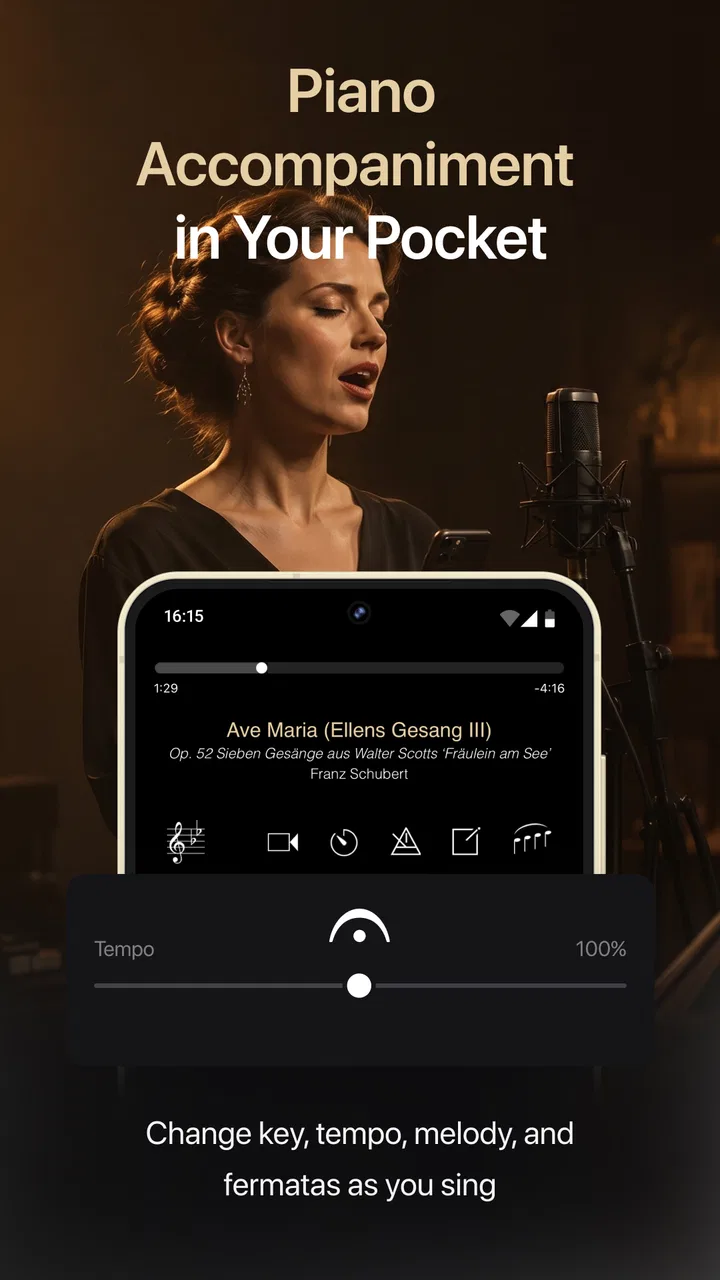
- Adjustable tempo and key make songs easier to match your vocal range.
- Clear piano accompaniments support pitch accuracy and timing practice.
- Useful for auditions
- lessons
- rehearsals
- and independent vocal study.
- Regular song additions can keep practice sessions varied and engaging.
Cons
- Many useful features and songs may require a paid subscription.
- The app is less helpful for users seeking guided vocal technique lessons.
- Song availability may vary by genre
- language
- or specific repertoire needs.
- Playing accompaniments may use significant battery during longer practice sessions.
- A stable internet connection may be needed for parts of the song library.

Appcompanist: Vocal Training
Gallery